

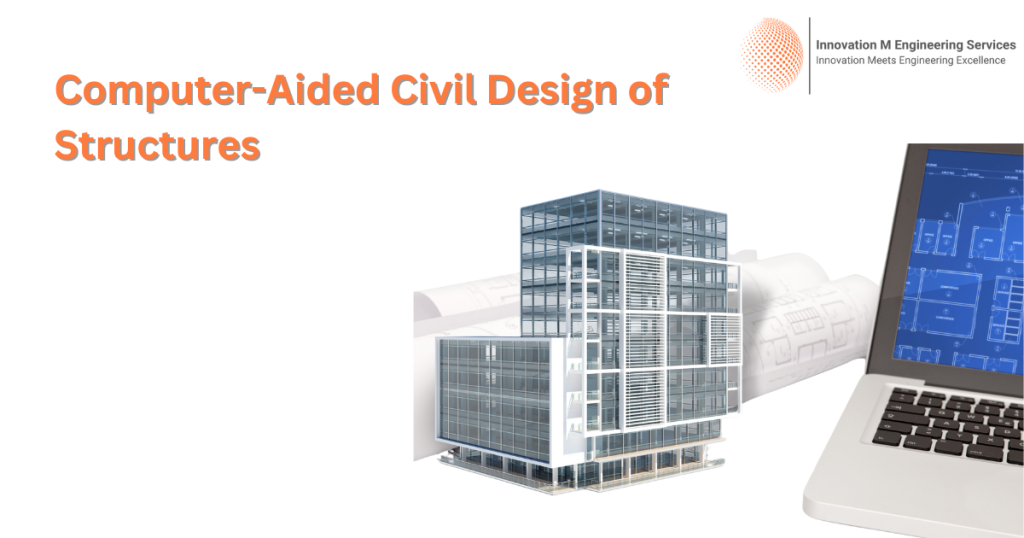
Engineering requires precision. Even the slightest miscalculation could have serious repercussions. Before computers came, engineers employed pencil and paper to create machinery and structures – an ineffective process prone to mistakes.
Engineers today use Computer-Aided Design (CAD) software to quickly and precisely design structures, vehicles, and other items faster. A CAD engineer plays an indispensable role in modern engineering by employing this powerful design tool to produce impressive structures such as buildings, aircraft, and automobiles.
In this blog, CAD engineers will learn how to use AD software to increase accuracy, decrease errors, and speed up projects.
What Is Computer-Aided Design (CAD)?
Computer-aided design (CAD) software assists designers and engineers with designing 2-dimensional and 3-dimensional concepts of their ideas and allows them to edit, review, and refine these designs prior to the actual fabrication of physical elements.
Popular CAD applications consist of:
AutoCAD, SolidWorks, CATIA Revit, and Fusion 360 have simplified engineers’ lives by making changes more manageable – just by using two steps for modification or testing purposes! Hand-drawing designs previously limited engineers if an error arose, requiring either to erase and redraw everything manually or start over from scratch each time – making the design process inconvenient at best and highly time-consuming. Now, with CAD, it can easily change or modify designs within seconds!
How CAD Engineers Improve Precision
CAD engineers can input precise dimensions into their program to ensure each part is produced precisely while automating distance estimation to reduce human errors and ensure consistency of production.
Generating 3D Models
Before the advent of computer-aided design (CAD), engineers created 2D sketches on paper to visualize what their final items would look like. CAD made this easier but presented the challenge of visualizing 3D models of these complex items more directly.
Engineers use computer-aided design (CAD) software to develop 3D models that show every angle of their designs and help identify errors or make necessary improvements before the finalized designs have been implemented.
Example of use for Automotive Engineer: Utilizing 3D design software to construct an engine in 3D is used by Automotive engineers who wish to determine how components fit before creating actual physical models of their engine designs.
Early Error Identification and Correction With
older design methods, engineers were often able to spot flaws only after construction had already commenced; remedying them usually proved expensive and time-consuming.
CAD software enables engineers to identify potential issues before beginning construction projects, simulating actual conditions to test whether their design works effectively or not
Faster Design Process
Manually drawing designs can take time. Any time an engineer needs to alter his designs, all drawings must be revised again before any change occurs.
With CAD, engineers can edit designs quickly. When they need to alter any aspect of a plan quickly and efficiently, editing tasks could take just minutes instead of several hours to finish.
Time can be saved, and processes can be speeded up with CAD programs; projects that were once expected to require weeks are now being finished in days using this form of planning software.
Enhancing Collaboration
Engineering projects typically involve teams of engineers working closely together. If everyone uses paper-based drawings, sharing or updating designs simultaneously becomes challenging, which is an additional hurdle on most engineering projects.
With CAD, engineers can work on one plan seamlessly. Sharing files instantly enables Collaboration on adjustments.
Lowering Costs
Incorrect engineering decisions could cost millions. A design error wastes precious resources, including time, materials, and energy that should otherwise have been utilized productively.
CAD software provides engineers with an efficient means of avoiding expensive mistakes in engineering designs. By providing engineers with tools to evaluate and modify models before investing in costly material, CAD helps engineers prevent mistakes resulting in significant financial costs for material purchases.
Storing and Reusing Designs
Engineers would save their sketches on paper. Looking back over older designs requires going through multiple piles of papers before coming across one that meets your needs.
Engineers use computer-aided design (CAD) software to digitize plans. By doing so, they can easily find ways to reuse or adapt older designs into new project solutions.
Automobile companies developing modern models could repurpose elements from old models to save energy and time by recycling elements of older designs into their current endeavors.
Simulation of Real-World Conditions
CAD software enables users to test designs under actual operating conditions, providing valuable feedback about performance in practice.
Engineers, for instance, may examine:
- How can a bridge withstand earthquakes and strong winds?
- After being involved in an accident, how will its body respond?
- Which machine parts work when tension is present?
Industries That Employ CAD Engineers
Numerous industries use CAD engineers for product design, testing, and optimization.
Construction and Architecture
CAD engineers specialize in designing homes, skyscrapers, and roads & bridges using computer-aided design (CAD). Their job involves ensuring buildings are strong, safe, and designed well – ultimately giving their client peace of mind that the design meets safety regulations and aesthetic considerations.
Manufacturing and Product Design
Companies use computer-aided design (CAD) technology to craft appliances, furniture, electronics, and industrial machinery with quality and precision in mind. CAD ensures that products designed are of top quality.
Electrical Engineering
A CAD program can also design electrical circuits and wiring systems to ensure safe, efficient devices operate.
Medical Equipment
Medical engineers rely on CAD technology to design medical MRI, prosthetics, and surgical instruments, saving lives and creating accurate equipment with its assistance.
Future of CAD in Engineering
Each year, CAD technology continues to advance. Here are a few trends for its evolution in future years:
Integrating Artificial Intelligence (AI)
Into CAD AI can assist CAD engineers by automating routine chores. AI can also suggest improved designs using existing ones.
Virtual and Augmented Realities (VR and AR )
Engineers can utilize VR/AR technologies to access their CAD drawings in VR/AR mode and find mistakes or make enhancements more quickly and accurately. This tool helps engineers discover errors quickly while pinpointing areas for improvement quickly.
Cloud-Based CAD Software
Cloud CAD software enables engineers to collaborate in real-time from any location, increasing teamwork and speeding up project completion.
3D Printing Integration
Combining 3D printers and CAD software enables companies to develop rapid prototypes quickly for testing before mass production begins.
Conclusion
At Innovation M Services CAD engineers play an integral part in modern engineering. By employing Computer-Aided Design technology, these professionals produce accurate designs with no errors.CAD helps engineers work faster and collaborate more effectively while cutting costs. It ensures that every aspect of the construction of bridges and planes is built with maximum precision and safety in mind.